Everything IT
EN
NederlandsEnglish
Menu

Your email, accounts
and files
properly organised

A mailbox that does not work, files that are hard to find or a new workspace to set up? We help you configure what you need and solve the problems holding you up, with guidance you can use afterwards.

See how we can help For your home, your business or your team
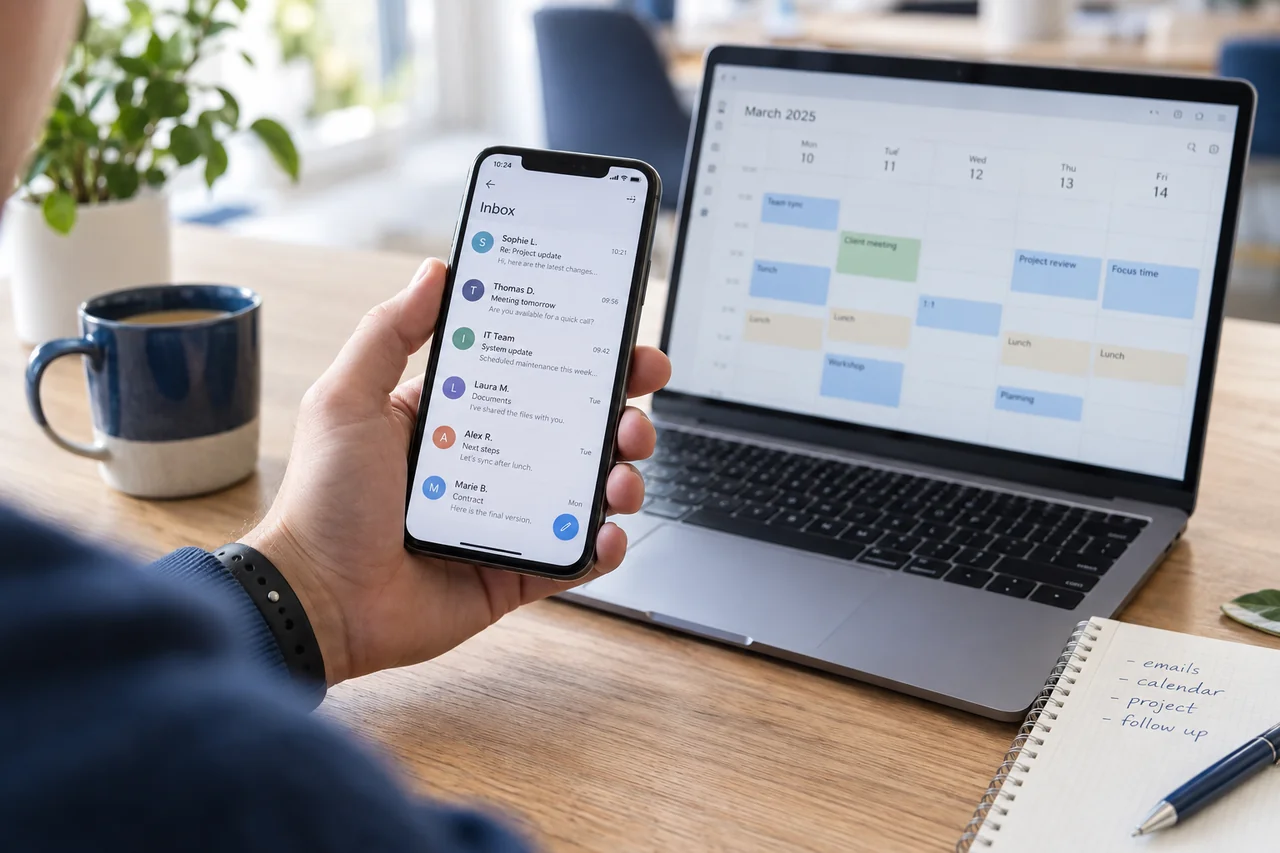
Email on a phone, with a calendar on the laptop behind it
Email, calendars and files
on the devices you use

What would you like to
get working better?

Sometimes it is a setting you cannot find. Sometimes you want to switch to another solution or work together with others. We look at your current setup and help you take a practical step forward, even if it is just one small question.

1 / Setting up and moving email

Set up your mailbox
or get it working again

You want to read email on a new device, messages are not arriving or you need an address on your own domain. We help set up your mailbox and investigate problems with sending, receiving or syncing, for example in Outlook.

  • Set up email on your computer, phone or tablet
  • Create and connect mailboxes on your own domain name
  • Prepare a move and bring existing messages, contacts and calendars across where possible

Before a move, we discuss what you want to keep, what access is available and how to check the transition. Together, we test that your email works on the agreed devices.

For example: email on several devices
Your mailbox
A new enquiry

The message and attachments together

Appointment confirmed

Find the practical details

Your document is ready

Continue with what you have received

On your computer

Your email application or browser

On your phone

Your email on the move

We discuss which messages and folders you want to see on each device and check sending and receiving.
2 / Digital workspace and collaboration

Work together with tools
that suit you

A new colleague is starting, you want to share calendars or work on documents together. We help set up your digital workspace or adapt it to your daily work, for example with Microsoft 365 or Google Workspace. That gives everyone the applications and access they need.

  • Set up or adjust users, accounts and licences
  • Make email, calendars and documents available to the right people
  • Set up online meetings and collaboration, for example with Microsoft Teams or Google Meet, and explain how to use them

We start with the tools and subscriptions you already use. If you work with other applications, we look at what is possible too. We set up what you need and discuss in advance whether it requires a different subscription.

For example: managing messages and appointments together
You

Your own account

Your colleague

Their own account

What you need together
A shared mailbox

Read and follow up enquiries

A shared calendar

View appointments and availability

Agree access for each person

This example shows one possible setup. Together, we decide what to share and who may view or change it.
3 / Accounts and access

Easier sign-in,
with access properly managed

Multiple accounts, forgotten passwords or a message you do not understand can interrupt your work. We help you make sense of your accounts, review settings and improve their security.

  • Set up two-step verification and explain how to use it
  • Set up a password manager and help you use it
  • Adjust access permissions, for example when someone joins, leaves or changes responsibilities

If you lose access to an account, we review the provider's official recovery options. We also help prepare your recovery options, for example for when you change phones.

4 / Sharing and storing files

Find your files,
share them and recover them

Which version is correct, where is that document and who can access it? We help you organise and share your files, for example with OneDrive, SharePoint or Google Drive, and look at what you need on your different devices.

  • Organise folders and move existing files to a suitable location
  • Set up syncing and sharing permissions, or investigate problems with them
  • Choose and set up a suitable backup solution for the files you want to protect

Syncing and backups serve different purposes. We separately assess what needs keeping, how often to back it up and how to check that files can be restored.

Use your files and be able to recover them
Your working files

Organise, share and sync

Documents Photos Projects
We also look at
A backup to fall back on
  • Which files are saved?
  • When is the copy made?
  • Can you restore the files?
We tailor storage, access and backups to how you use them. We discuss any recurring checks separately.

From your question
to a solution that
helps you move forward

We discuss what you need and which programs and devices you use. Then we agree what to check or set up and go through how it works together.

Know what we will tackle in advance

We define the question and make clear agreements about the work and costs. We discuss any subscriptions or extra storage before you commit to them.

Set up and check together

We agree what access is needed and make the changes. Then we test what you want to do, such as send email, share a file or sign in again.

Guidance for everyday use

You receive guidance on the changes and the settings you can manage yourself. We arrange any further help or regular support separately.

More about working together

Good to know
before you start

You do not need to describe the problem in technical terms. Tell us what you are trying to do and what is happening differently from what you expected.

Can you help remotely, even with one small question?

Yes, you can get in touch about a single question concerning your mailbox, account or settings. Much of this help can be provided remotely, for example by looking at your screen together. We agree in advance how this will work and what access is needed.

On-site support from Ninove, with travel costs agreed in advance.

Can I keep my email address and old messages?

That depends on your current provider, the type of address and the new solution. For an address on your own domain, we look at how to change the email service while keeping the address. An address tied to a particular provider cannot simply be moved to any other service.

We also review messages, contacts and calendars in advance. We agree what to transfer, how to check it and when the old service can be closed, if applicable.

Do I have to move to another platform?

No. We start with the programs and settings you already use. Sometimes a change to your current setup is enough. Microsoft 365 and Google Workspace are examples of platforms for managing email, calendars, files and collaboration, but you do not have to switch to get help.

We only discuss a different solution if it fits your needs and budget. You can also come to us for help with an existing mailbox or a single application.

Can you help if I cannot get into my account?

We can investigate the sign-in together and work through the provider's official recovery options. What is possible depends on the service and the recovery information or other verification available. Recovery is not possible in every situation.

Do not send passwords, recovery codes or security codes through the contact form. We agree a suitable way of working when access is needed.

Does syncing to the cloud count as a backup?

Syncing keeps files up to date in different places. A change or deletion can therefore reach other devices too. Some services offer version history or recovery options, but what you can recover and for how long varies between solutions.

We therefore assess separately what you want to be able to recover and which backup solution fits. Checking that files can be restored is part of that assessment.

What does help with email or everyday IT cost?

A short introductory conversation to understand your question and see whether we can help is without obligation. For investigation, advice or practical work, we agree a price or a rate and budget in advance.

For a larger setup or move, we clarify the scope first. We include subscription, storage and any visit costs in the agreement. Regular support is available by arrangement.

What do you need help with in your everyday IT?

Tell us briefly what you need help with. You don't need a detailed plan or a technical explanation; we'll be happy to see how we can help.

Start with a no-obligation conversation. We agree the details before any paid work begins.

Your contact details and enquiry

This form uses reCAPTCHA to prevent spam.

Read how we handle your data in our privacy notice. Please don't include passwords or recovery codes.