Everything IT
EN
NederlandsEnglish
Menu

Help with your computer,
from buying
to repairs

A laptop getting slow, a printer that does not respond or a new computer to set up? We help with hardware and software and advise you when you want to upgrade or replace a device.

See how we can help For your computer at home, your business or your team
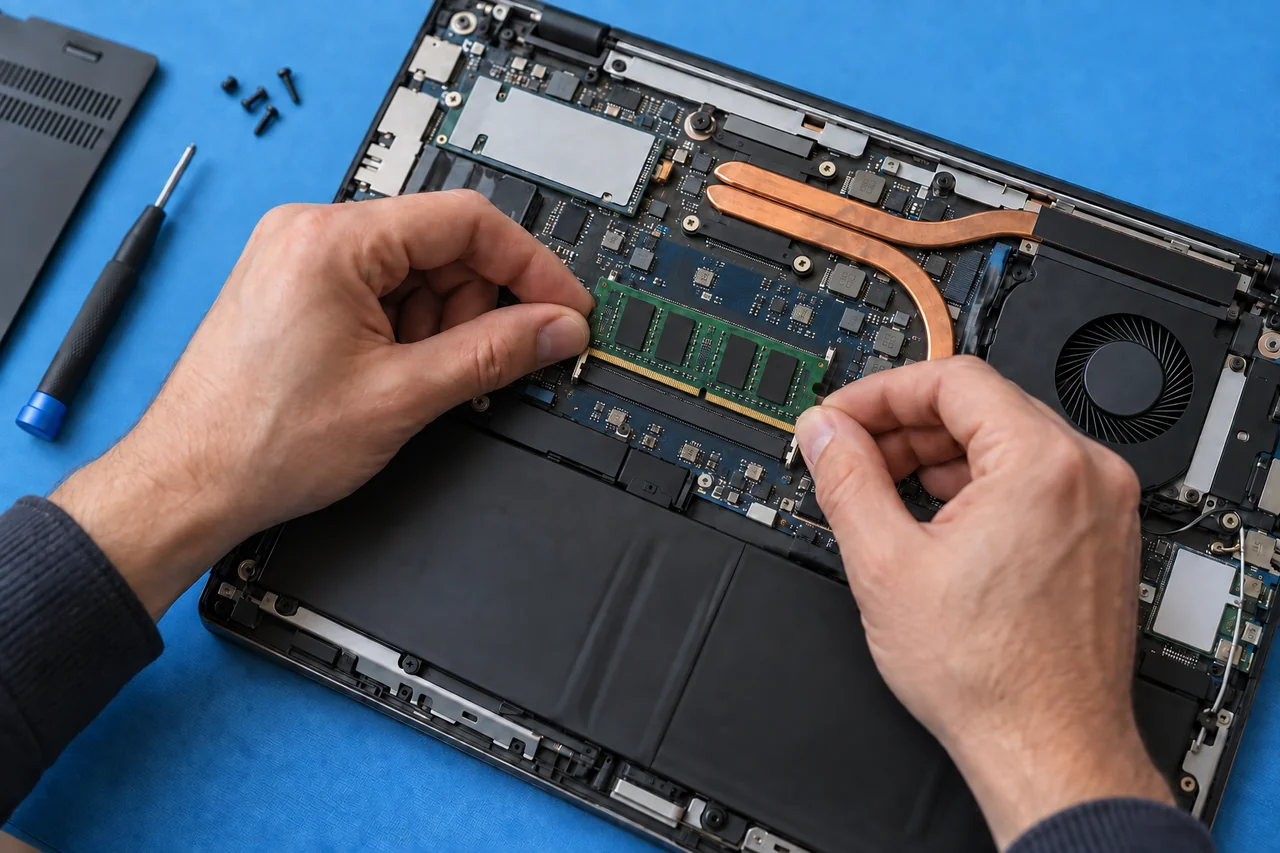
A memory module being fitted in a modern laptop on a blue work mat
From checking settings
to a suitable upgrade

What do you want to fix,
replace or connect?

You do not need to know whether the cause is a program, setting or component. Tell us what is going wrong or what you want to do with your equipment. We assess what is needed and whether your current device is still up to the job.

1 / Problems, maintenance and upgrades

A computer that freezes
or no longer runs smoothly

Your Windows PC or Mac takes a long time to start, programs freeze or your laptop gets unusually hot. We investigate the problem and assess whether a software change, maintenance or a repair makes sense.

  • Investigate problems with startup, programs, updates and settings
  • Check storage, memory, cooling and the device's general operation
  • Carry out a suitable upgrade or component replacement, such as an SSD or extra memory if your device supports it

First understand the cause, then decide what is worthwhile. We discuss the options and costs before ordering parts or carrying out extra work.

For example: your computer takes longer and longer to start
Startup takes a long time

What is causing it?

Programs
and settings

What launches at startup? What runs in the background?

Device
and components

What is the condition of the storage, memory and cooling?

After the investigation, we agree which approach makes sense.

The same symptom can have different causes. Buying a new component is therefore not always the first step.
2 / Buying advice and custom computers

Choose a computer
that suits how you use it

A laptop for travel, a fixed workstation or a custom desktop: we help you choose based on your programs, the way you work and your budget. We also take your existing screens and other equipment into account.

  • Compare laptops, desktops or Macs for what you want to do
  • Choose a suitable combination of monitor, keyboard, docking station and other essentials
  • Select parts for a custom desktop, build the computer and test it

For a custom computer, we consider how the parts work together, how much space you need and what can be expanded later. We agree in advance how the device or parts will be purchased.

For example: choosing a custom desktop
Your programs

What do you want to run smoothly?

Your components

A combination that works together

Your budget

Invest where it matters to you

Choose partsBuildTest
This is a schematic example of a desktop. The specification depends on how you use it; for a ready-made device, we help you weigh up the options in the same way.
3 / Setup and moving to a new device

Get off to a good start
on your new device

A new computer is only useful once you can work with it. We help set up your Windows PC or Mac, install your programs and bring across what you want to keep from your previous device.

  • Set up the device, run updates and install the programs you need
  • Transfer documents, photos and other files from an available device or a usable backup
  • Set up accounts, screens and connected equipment and check them together
  • Set up a smartphone or tablet, install apps and transfer photos or contacts

We agree what to bring across and check which programs and licences you can use on the new device. Together, we check what has been transferred before you erase or dispose of the old device.

For example: moving to a new laptop
Your current device
Your new device
Bring your files across

What do you want to keep, and where will it go?

Set up your programs

Install and sign in where needed

Check together

Open your files and try your equipment

Moving involves more than copying files. We also explain how to use the new setup and review anything else you need.
4 / Printers, NAS and peripherals

Get your equipment
working together

Your printer cannot be found, a second screen shows no picture or you want to keep files in one central place. We help connect the equipment, find the right settings and investigate problems.

  • Install printers and scanners, investigate printing problems and set up scanning
  • Connect and configure screens, docking stations, external storage and other peripherals
  • Set up a NAS for central file storage and configure access for your devices

We also check the connections, suitable cables and required software. For a NAS, we discuss backups and file recovery separately; central storage alone does not take care of that.

For example: the devices around your workspace
Your computer

Connect, configure and test together

Printer

Printing and scanning

Screen and dock

Extend your workspace

NAS

Store files centrally

Depending on the device, the connection is direct or through your network. We test the tasks you want to use the equipment for.

First assess what is needed,
then get to work
on your device

We discuss your question and decide whether remote help is possible or we need to work on the device itself. You receive clarity on the approach, costs and practical arrangements in advance.

Investigate and discuss

We agree what to check and what the investigation will cost. Based on that, we choose together a change, repair or replacement that suits your situation.

Agree the work and parts

Before carrying out the work, we agree the price and any parts needed. We also agree in advance where the work will happen and how a device will be handed over.

Go through how it works together

We check the agreed functions and explain what has changed. You know how to proceed, what to watch for and whether further help is needed.

More about working together

Good to know
before you start

Tell us which device you use and what you want to do with it or what goes wrong. The model and any error message can help, but you do not need to diagnose it yourself.

Can you help with both Windows and Mac?

Yes. We help with Windows computers and Macs, from installation and settings to problems during use. We can also advise you when buying or moving to a new device.

Which hardware changes are possible depends on the model. We first check which components are accessible and replaceable and whether we can carry out the requested repair.

Is a repair or upgrade still worthwhile?

That depends on the cause, your device's condition, the available parts and what you want to do with it. Sometimes a software change is enough. Sometimes more memory or different storage can help, if your device can be upgraded.

We weigh up the costs and options against replacement. Not every laptop or Mac supports the same upgrades; we check before ordering parts.

How do we agree where the help takes place?

Remote help is sometimes enough for programs and settings. Hardware work may require a visit or handing over your device.

On-site support from Ninove, with travel costs agreed in advance.

All help is by appointment. Please get in touch first; there is no walk-in shop.

What happens to my files during the work?

Before working on storage or reinstalling a device, we discuss which files matter and what backup is available. If an additional copy is needed and possible, we include it in the agreement.

When moving to a new device, we check together what has been transferred before the old one is erased or passed on. If the storage has failed or is unreadable, we first assess what is feasible and whether specialist help is needed. Recovering files is not always possible.

Can you help with equipment I bought myself?

Yes. You can also ask for help installing, connecting or checking an existing device or one you bought yourself. We assess whether it works with your other equipment and what connections, programs or licences are needed.

If you have yet to buy something, we can advise you beforehand. For a custom desktop, we first agree the parts, purchasing arrangements and the work involved in building and setting it up.

What does computer help or a repair cost?

A short introductory conversation to understand your question and see whether we can help is without obligation. For investigation, advice or practical work, we agree a price or a rate and budget in advance.

Investigation may still be chargeable if a repair ultimately proves impossible or not worthwhile. We agree that beforehand. You receive a proposal before any additional work or parts; this includes equipment, licence and any visit costs.

How can we help?

Tell us briefly what you need help with. You don't need a detailed plan or a technical explanation; we'll be happy to see how we can help.

Start with a no-obligation conversation. We agree the details before any paid work begins.

Your contact details and enquiry

This form uses reCAPTCHA to prevent spam.

Read how we handle your data in our privacy notice. Please don't include passwords or recovery codes.